Dynamic playlists (different playlist on different pages using one widget)

We need to be able to show different YouTube playlists on different pages of our website.

But the way you’ve designed your widget would require us to create multiple Elfsight YouTube widgets, and then create multiple copies of EVERY template on our website just so we can show the right YouTube widget on the right pages–which would be a maintenance nightmare.

Or we would need to create a lot of if/else logic in every template to check which Elfsight YouTube widget to load in different circumstances, which would slow down performance on all our pages.

Instead, it would be great if you could give us a way to design one YouTube widget layout for our channel, with a list of playlists we want to support. Then allow us to pass in a parameter from individual pages of our website, which would tell the widget which of our predefined playlists to display.

(This is different from your Source Groups, which just add more videos to the SAME widget. We would like the ability to have one widget which can show DIFFERENT playlists on different pages.)

1 Like

Hi there, @user20104 :waving_hand:

Thanks a lot for sharing your thoughts with us! If more users get interested in this feature, it might be considered in the future :slightly_smiling_face:

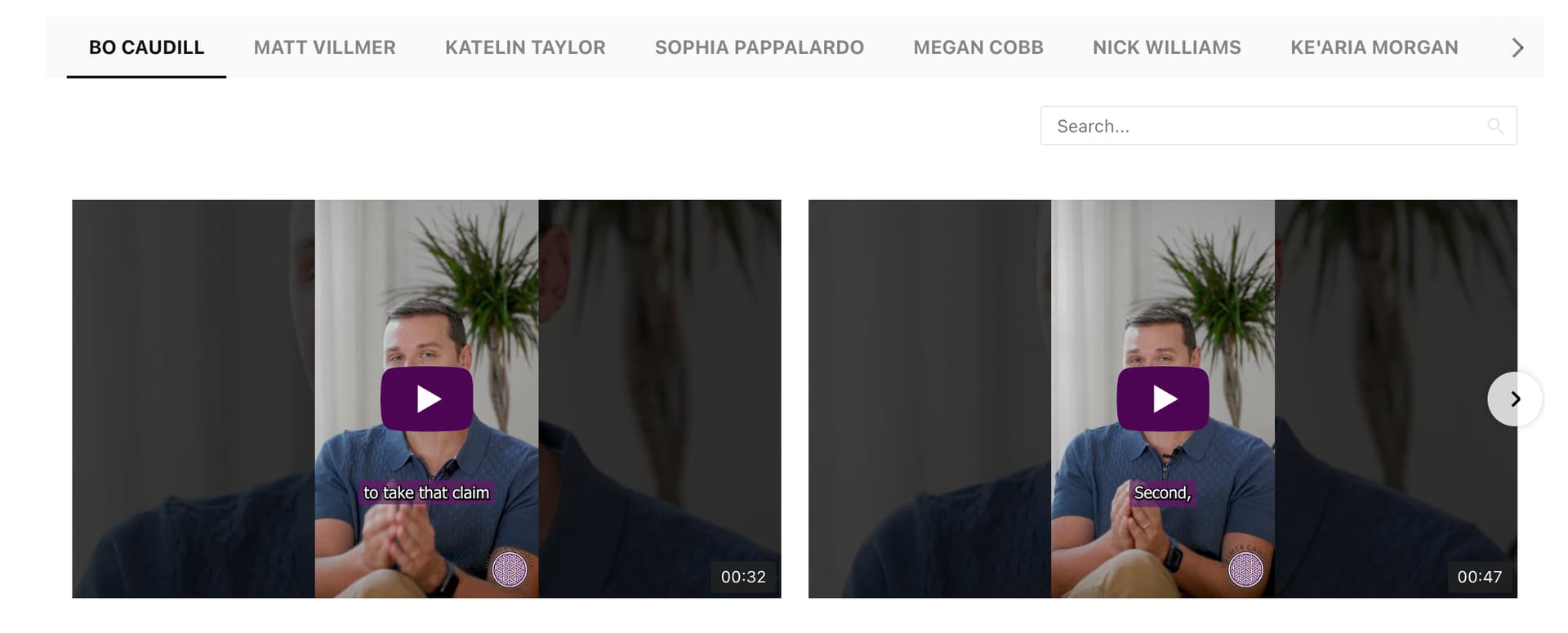
We have the same issue and have had to create nine different widgets, when we could have just created one video gallery and pre-selected the tab that displays/opens if there was the option. This could get insanely expensive as the team continues to grow as the galleries are sorted by team member and display on each team member’s profile.

1 Like

Hi there and welcome to the Community, @user4127 :waving_hand:

Many thanks for sharing your thoughts with us!

I agree that it would be amazing to have this option built in the widget, and we’ll try to think about this possibility in the future.

The good news is that we’ve found a custom solution for this case:

<script>
const config = [
  {
    page: "https://example.com/1",
    filter: "Bo Caudill",
  },
{
    page: "https://example.com/2",
    filter: "Matt Villmer",
  },
];

const listenerBlock = (selector, callback) => {
  const mutationObserver = new MutationObserver((mutations, observer) => {
    mutations.forEach(({ addedNodes }) =>
      addedNodes.forEach((node) => {
        if (node.nodeType === Node.ELEMENT_NODE) {
          const targetNode = node.querySelector(selector);
          if (targetNode) {
            observer.disconnect();
            return callback(targetNode);
          }
        }
      })
    );
  });

  mutationObserver.observe(document.body, {
    childList: true,
    subtree: true,
  });
};

const normalizedString = (str) => {
  return str.trim().toLowerCase();
};

const getFilterName = () => {
  const { filter } =
    config.find(({ page }) => window.location.href.includes(page)) ?? {};
  return filter;
};

listenerBlock(".yottie-widget-nav-inner", (block) => {
  const filter = getFilterName();
  if (!filter) return;

  const filterItems = Array.from(
    block.querySelectorAll(".yottie-widget-nav-list-item")
  );
  if (!filterItems.length) return;

  const currentFilter = filterItems.find(
    (node) => normalizedString(node.innerText) === normalizedString(filter)
  );
  if (currentFilter) {
    currentFilter.click();
  }
});
</script>

This code will help you pre-select specific filters on different pages. Here you should set the needed pages and the desired default filters for them:


Once this done, please add the resulted code next to your widget’s installation code.

To hide the group tabs, please add this code to the Custom CSS field on the Appearance tab of your widget’s settings:

[class*="yottie-widget-nav"] {
  display: none;
}

Give it a try and let us know how it worked :slightly_smiling_face:

Thank you, I’ll try this today! We were trying some custom js on our end before but it wasn’t working for us.

That works PERFECTLY, thank you so much for the workaround!

1 Like

Awesome, you’re always welcome :wink: