Is there a way to allow the URL’s and emails listed in the flipbook to have a link therefore someone can just click on it and brings them to where they need to go (ie web browser or email)
Hi there, @Sabrina_Da_SIlva 
Please let me check it with the devs. I’ll get back to you with the update tomorrow 
Hi there, @Sabrina_Da_SIlva
Unfortunately, it’s not possible to make links clickable directly. I’m sorry about that!
The only workaround is to make the entire page clickable—this can be set up in your PDF settings. That way, whenever someone clicks anywhere on the page, they’ll be redirected to the same link.
However, I agree that it would be great to make specific links clickable. We’ll try to consider this opportunity in the future, especially if more users upvote it
Friends, we’ve reviewed this request with the devs and there’s actually a way to make links clickable in the Flipbook 
This needs to be done directly in your PDF file, so we recommend using a PDF editor. Here’s an example of a free editor you can try - Easy to use Online PDF editor.
Here is how to set it up:
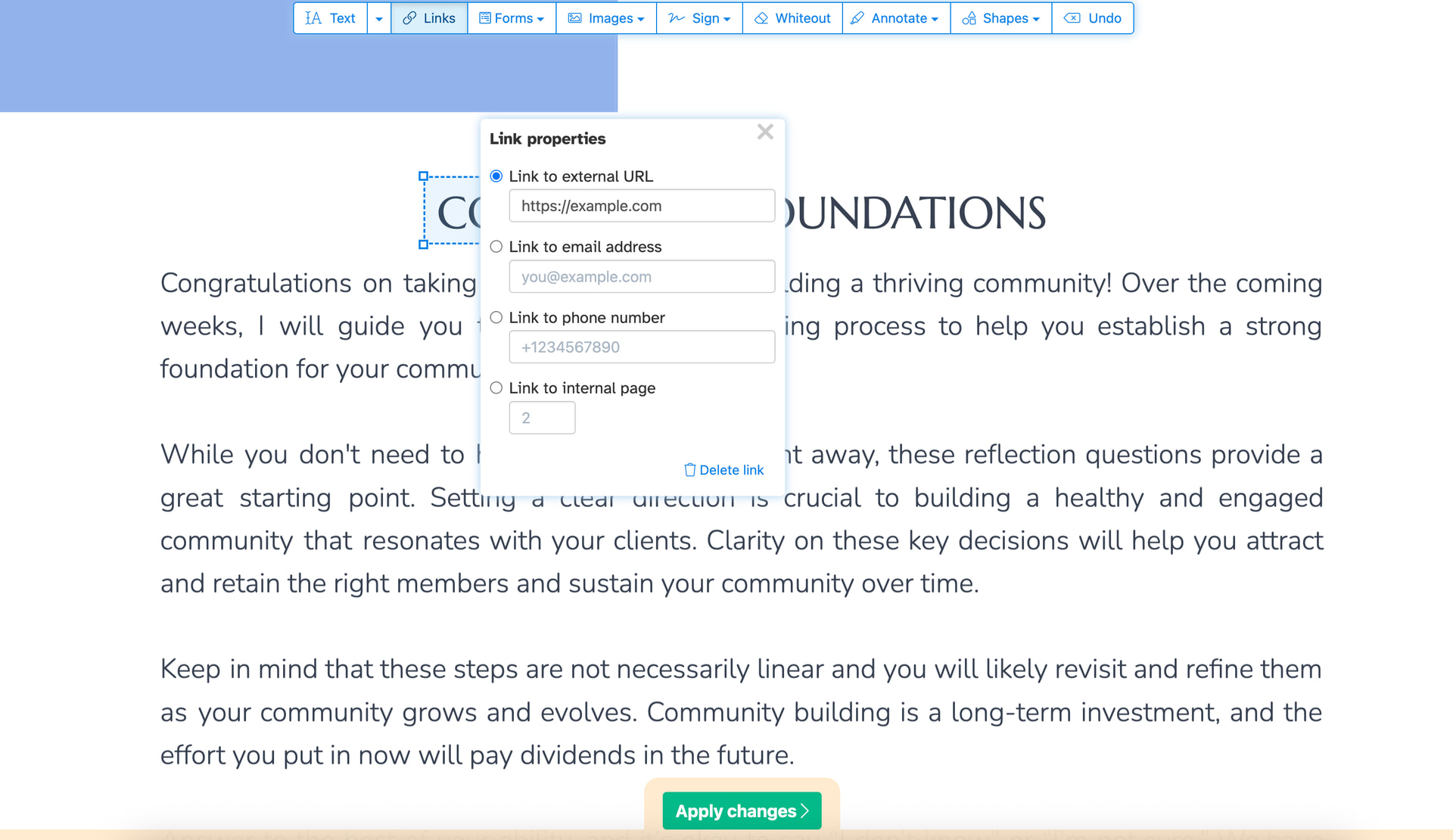
- Upload your PDF file and choose Links:

- Select the needed word/phrase, add the URL and save it using the Apply Changes button: