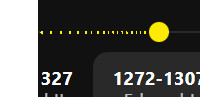
- Timeline carousel issue - markers and layout appear different on my website
How it looks on the elfsight edit panel

how it looks on my website

can someone help me fix this please..
Greetings, @will3 and welcome aboard 
This issue occurred because of the conflict with your website’s styles, and we’ve fixed it using the code below in the Custom CSS field on the Settings tab of your widget’s settings:
.es-marker-point {
  display: flex !important;
}

.es-track-progress-bar,
.es-carousel-track-fog,
[class*="trailing-fill-track__Fill-sc"] {
  display: block !important;
}
Please check it out and let me know if you like the result 
thank you it now works perfectly!
No sweat!
By the way, we’d like to invite you to participate in our Christmas Giveaway, where you can win a 3-month extension for your subscription - Christmas Giveaway: Win 3 FREE Months (10 winners) + 1 month guaranteed! 
Check the details and join in 
I see the issue, and I am so sorry about it!
I’ve shared it with the devs and will update you once it’s fixed
Thank you for waiting!
Please try to add this code to the Custom CSS field and let me know if it fixed the issue:
[class*="trailing-fill-track__Fill-sc"] {
    backface-visibility: hidden;
}
it worked thanks so much!
Awesome, you’re always welcome