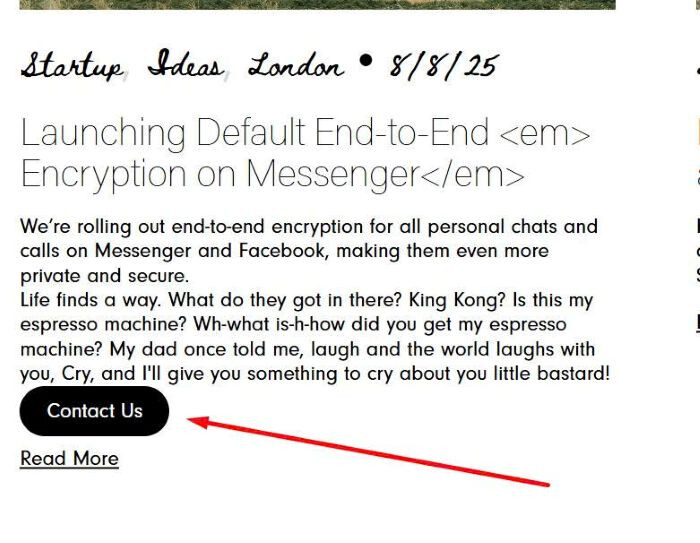
To add a Custom field to Blog overview page, like this.

#1. First, you need to edit Blog Post > Add a Code Block with this syntax.
You can also use this free blog tool so you can customize blog easier without using code.
<p class="custom-field">New York, US</p>

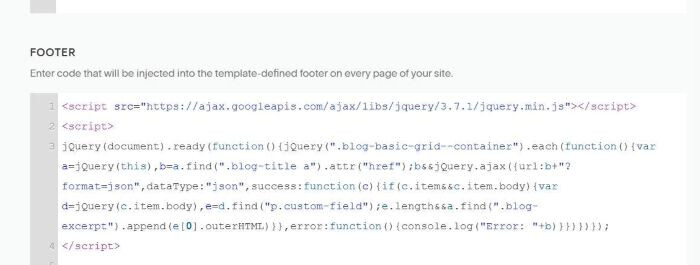
#2. Next, use this code to Code Injection > Footer
<script src="https://ajax.googleapis.com/ajax/libs/jquery/3.7.1/jquery.min.js"></script>
<script>
jQuery(document).ready(function(){jQuery(".blog-basic-grid--container").each(function(){var a=jQuery(this),b=a.find(".blog-title a").attr("href");b&&jQuery.ajax({url:b+"?format=json",dataType:"json",success:function(c){if(c.item&&c.item.body){var d=jQuery(c.item.body),e=d.find("p.custom-field");e.length&&a.find(".blog-excerpt").append(e[0].outerHTML)}},error:function(){console.log("Error: "+b)}})})});
</script>
#3. Next, use this code to Custom CSS to style it.
body.view-list p.custom-field {
    color: red;
    margin-top: 10px !important;
}

If you want to add a button to custom field, you can use link syntax, like this.
<p class="custom-field"><a href="/contact" style="background-color:black;color:white;padding:10px 20px;border-radius:20px;">Contact Us</a></p>

Result