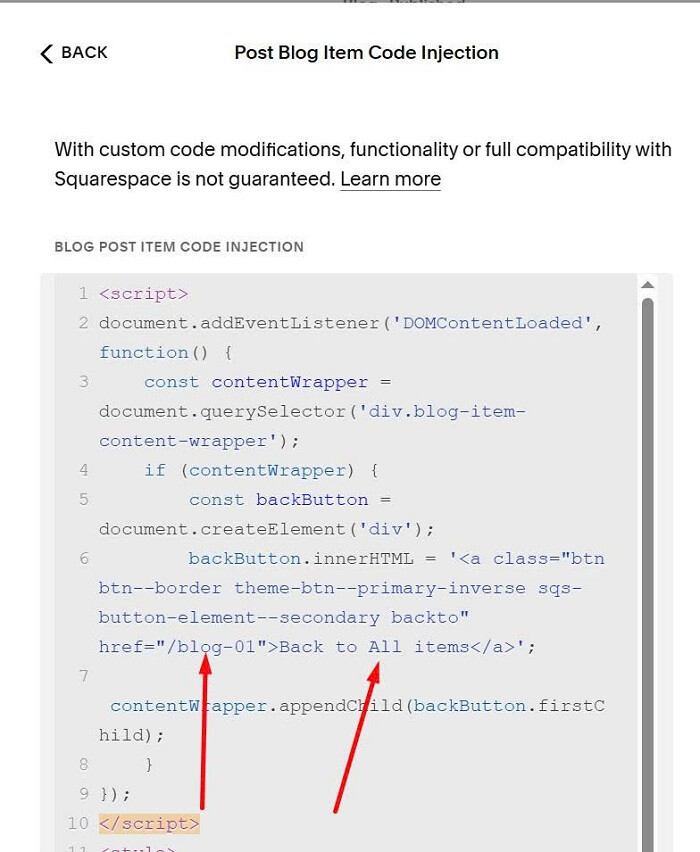
To add button with same url at bottom of blog posts, like this.

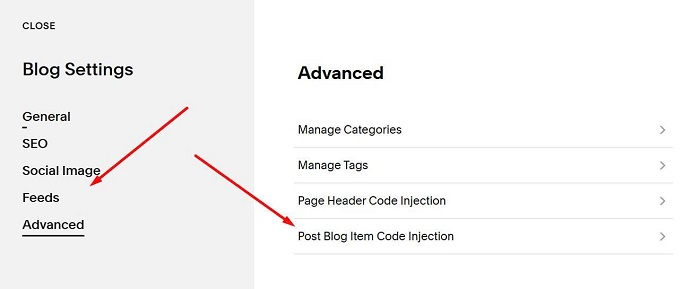
You can hover on Blog Page > Click Gear icon

Click Advanced > Post Blog Item Code Injection
Next, use this code to right box.
You can also use this free blog tool so you can customize blog easier without using code.
<script>
document.addEventListener('DOMContentLoaded', function() {
    const contentWrapper = document.querySelector('div.blog-item-content-wrapper');
    if (contentWrapper) {
        const backButton = document.createElement('div');
        backButton.innerHTML = '<a class="btn btn--border theme-btn--primary-inverse sqs-button-element--secondary backto" href="/blog-01">Back to All items</a>';
        contentWrapper.appendChild(backButton.firstChild);
    }
});
</script>
<style>
a.backto {
    transform: translateX(-50%);
    left: 50%;
}
</style>

Remember to change button text + button url.