Hi, for some reason, the pop up of team’s info isn’t aligned with the page, it gets lost and we need to scroll up. Any way to have it pop up where you are on the page? Thank you! 
Happy to see you on our forum, @user3708 
This issue occurs because of the iframes used on the Hostinger platform. To fix it, the widget should be reinstalled avoiding iframes.
For this, please replace your current installation code with the new one:
<script src="https://custom-scripts.elfsightcdn.com/public-scripts/hostinger-and-go-daddy/install-widget.js" data-banner></script>
<div class="elfsight-app-WIDGET_ID"></div>
Note: Do not forget to replace
WIDGET_IDin the 2nd line of the code with the ID of your widget.
Give it a shot and let me know if it helped 
Hi, so I only add the two line code and not the original code? And then replace the widget id? I tried that and it was blank?
Yep, everything is right
The widget won’t appear in the preview mode, but after publishing changes everything should be fine. Could you please double-check it?
Fantastic Max, it works! You’re the man!! Thank you!
It’s my pleasure!
Don’t hesitate to contact us here again in case of any questions. We’ll be more than happy to help 
Hi Max:
I saw this pop up but wasn’t sure what this was? Can you explain this to me?
Thanks
Hi @user3708
Do you mean this panel?
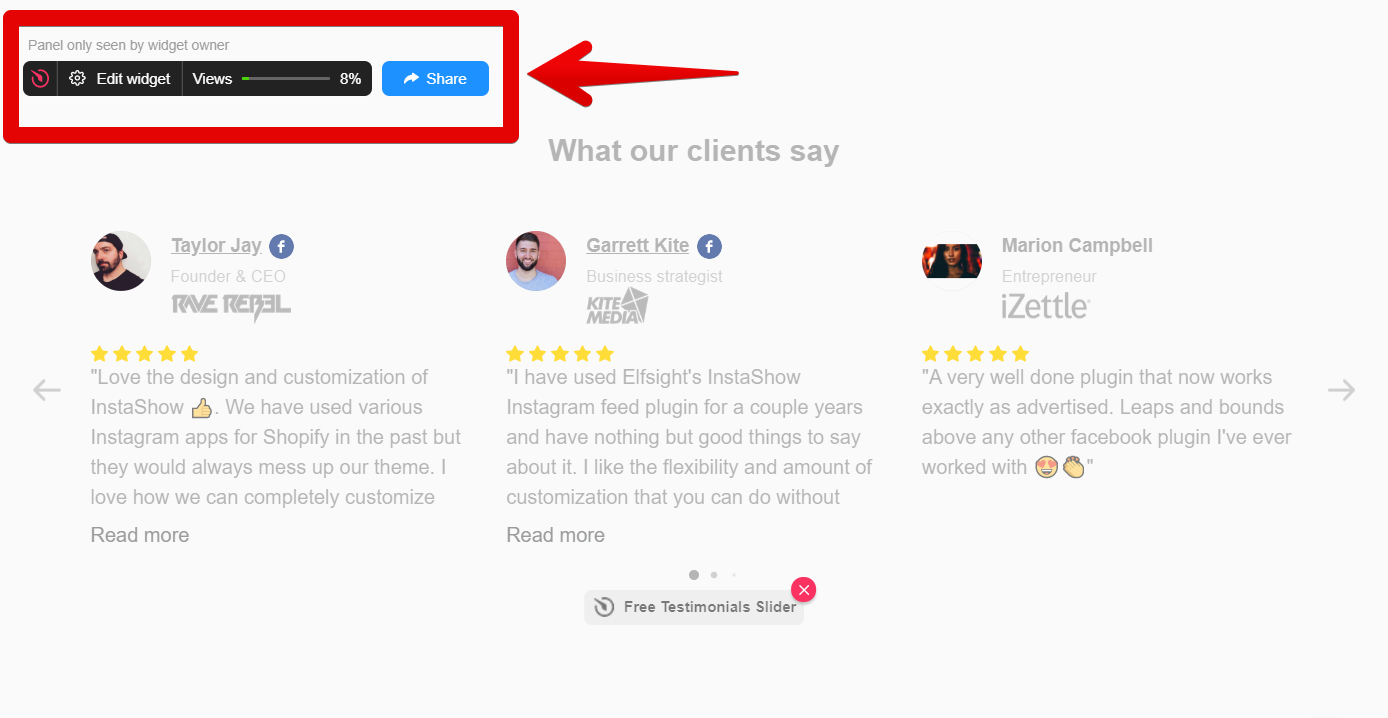
If so, this is the information panel. It’s displayed for you as the account owner, and only you can see it when you’re logged into Elfsight. Your website visitors never ever see it at all.
You can check the widget on your website in incognito mode to make sure that no one else can see it. And here is a special article about it - Why I see a panel above my widget.
However, if I misunderstood you, please send me a screenshot of the popup you mean. I’ll gladly look into this for you