Is it possible to make the images in each pricing table clickable to the same link in the button? Especially on mobile, it will allow users to tap to the link much easier.
Hi there, @andrewchin 
Yep, it’s possible to do this! Please add this code to the Custom CSS field on the Appearance tab of your widget’s settings:
.es-picture {
	cursor: pointer;
}
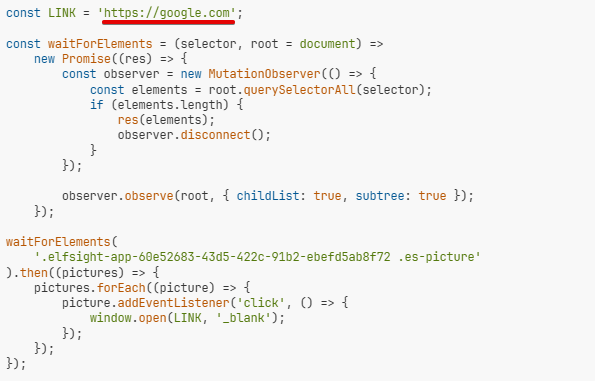
And this script should be placed in the Custom JS field on the Appearance tab:
const LINK = 'https://google.com';

const waitForElements = (selector, root = document) =>
	new Promise((res) => {
		const observer = new MutationObserver(() => {
			const elements = root.querySelectorAll(selector);
			if (elements.length) {
				res(elements);
				observer.disconnect();
			}
		});

		observer.observe(root, { childList: true, subtree: true });
	});

waitForElements(
	'.elfsight-app-60e52683-43d5-422c-91b2-ebefd5ab8f72 .es-picture'
).then((pictures) => {
	pictures.forEach((picture) => {
		picture.addEventListener('click', () => {
			window.open(LINK, '_blank');
		});
	});
});
In the 1st line of the code, you should set your redirect URL:
Please try it out and let me know how it worked 
Note: Custom JS doesn’t function in the preview mode, so you can check the result right on your website or through the Share Link
Thanks again for your help Max!
The pictures are now clickable, but I have a different link for each of the buttons (to each service page and anchored place). Would it be possible for each picture to be clickable to the button link instead of a fixed one?
Thank you!
Got you, thanks! I’ll discuss with the devs if it’s possible to achieve and will update you once I have their response 
Hi there, @andrewchin
We’ve adjusted the script and saved it in your widget:
const waitForElements = (selector, root = document) =>
  new Promise((res) => {
    const observer = new MutationObserver(() => {
      const elements = root.querySelectorAll(selector);
      if (elements.length) {
        res(elements);
        observer.disconnect();
      }
    });

    observer.observe(root, {
      childList: true,
      subtree: true,
    });
  });

waitForElements(
  '.elfsight-app-60e52683-43d5-422c-91b2-ebefd5ab8f72 .es-column-container'
).then((columns) => {
  columns.forEach((column) => {
    column.addEventListener('click', (event) => {
      if (!!event.target && event.target.closest('.es-picture-container')) {
        const learnMoreButton = column.querySelector('.es-button');

        learnMoreButton?.click();
      }
    });
  });
});
Please check your widget and let me know if you like how it’s working now
Amazing, this is is perfect. Thank you so much!!
You’re so welcome! I’ll pass your kind words to Max when he gets back from a well-deserved vacation 
Please feel free to get back to us any time you need assistance.
Hi Max! I created a couple new services for my pricing table and the ability to click the picture to the “Learn more” links seemed to have stopped working. I have the same recent code from this thread embedded in the Custom JS Editor. Could you please take a look?
Thanks!
To reproduce:
- Click on “Eyebrow Tattoo” > Nano hairstroke eyebrow
- Click on “PMU for Men” > Nano hairstroke eyebrow
Hi there @andrewchin
Sure, we’ve slightly adjusted the Custom JS script:
const waitForElements = (selector, root = document) =>
  new Promise((res) => {
    const observer = new MutationObserver(() => {
      const elements = root.querySelectorAll(selector);
      if (elements.length) {
        res(elements);
        observer.disconnect();
      }
    });

    observer.observe(root, {
      childList: true,
      subtree: true,
    });
  });

function waitForColumns() {
  waitForElements(
    ".elfsight-app-60e52683-43d5-422c-91b2-ebefd5ab8f72 .es-column-container",
  ).then((columns) => {
    columns.forEach((column) => {
      column.addEventListener("click", (event) => {
        if (!!event.target && event.target.closest(".es-picture-container")) {
          const learnMoreButton = column.querySelector(".es-button");

          learnMoreButton?.click();
        }
      });
    });
    waitForColumns();
  });
}

waitForColumns();
We’ve also changed the cursor on image hover to show users that the image is clickable with this CSS code:
.es-picture-container {
  cursor: pointer;
}
Please check it out and let me know if you like the result
This is perfect, thanks again for your help! 
Great, you’re very welcome