Set the font size for timer elements

Hi Team! Please add functionality to set the font size of “Message before timer” in the widget settings.
It would be really helpful! For now, the support team suggests this CSS as a solution:

​.eapps-countdown-timer-header-title-text{
font-size:20px!important;
}

Here’s where to paste this code in the widget editor:

1 Like

Hi @Sean_Lynch :wave:

Yeah, I see that it would be very helpful and convenient to have such a setting in the configurator.

We’ll try to take your suggestion under consideration. I’ll be posting here in case of any news :slightly_smiling_face:

Many thanks for adding your idea and yes, welcome to the Community!

Hey everyone!

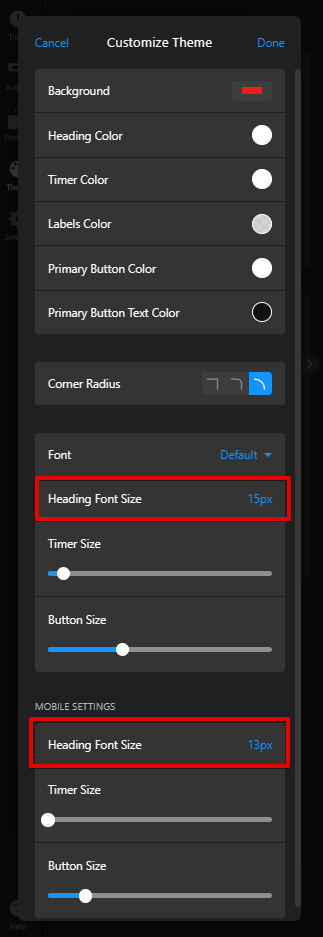
We’re happy to share that now you can change the font size right in the settings:

Currently, this feature is available only in the widgets created after this release. However, the good news is that we can manually update your existing widgets on our end :slightly_smiling_face:

Check this post for more details - Countdown Timer: [MAJOR UPDATE] Auto-repeat option, layout enhancements, new buttons, themes and more! :fire:

2 Likes