To add scrolling text in Announcement Bar in Squarespace, similar Scrolling Block, like this.

#1.1. First you need to enable Announcement Bar
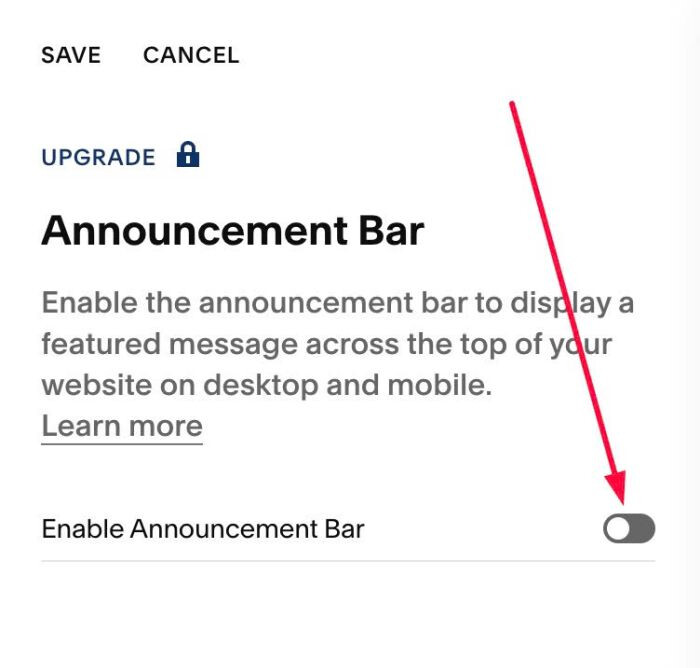
#1.2. Next, add some Paragraph to Announcement Bar

#1.3. Next, use this code to Code Injection > Footer
<!-- 07.26c04v4(v2) Scrolling Text in Announcement Bar -->
<style>
.sqs-announcement-bar-text-inner:not(.am-active){visibility:hidden;animation:am-reveal 0s linear 3s forwards}
@keyframes am-reveal{to{visibility:visible}}
</style>
<script>
window.AnnouncementMarqueeConfig = {
  pixelsPerSecond: 60,
  direction: "left",
  pauseOnHover: true,
  gap: "3em",
  fadeEdges: false,
  fadeWidth: "40px",
  hideCloseButton: true
};
</script>
<script src="https://code.beaverhero.com/header/0726c04v4v2scrollingtextannouncementbar.js"></script>

#2.1. To change space between text, change Line 11
gap: "3em",
#2.2. To change scrolling speed, change Line 08
pixelsPerSecond: 60,
#2.3. To remove space on left/right of scrolling

use this code under main code
<style>
div.sqs-announcement-bar-text {
    padding-left: 0px !important;
    padding-right: 0px !important;
}
</style>

result
