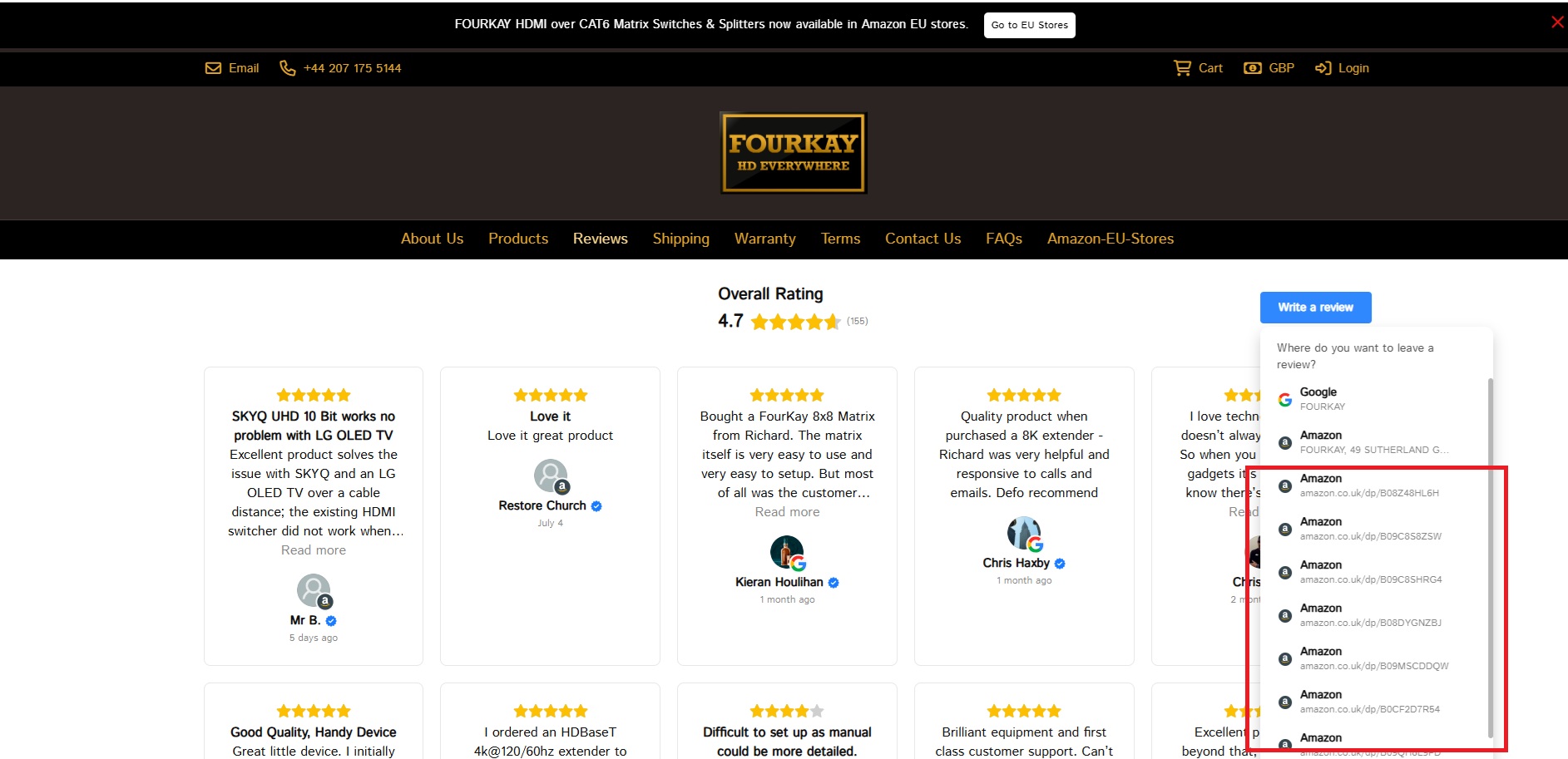
Is there a way for me to elinimate all the individual ASIN review options on this All-In-One? I have added the individual ASINs as sources to bump up the number and variety of reviews displayed, but I only really want people to be able to leave a Google review or an Amazon Seller review - so just two options. All those here in red should be eliminated…
Hi there, @user26982 
This code should help you:
.es-uris-item {
  display: none;
}

.es-uris-item:first-child, .es-uris-item:nth-child(2) {
  display: flex !important;
}
Please add it to the Custom CSS field on the Style tab of your widget’s settings and let me know how it worked 
Genius!
Many thanks for the feedback 
Don’t hesitate to contact us here again! We’ll be happy to help 


Not quite - it’s the bit that magically appears below “Google” or “Amazon” that I want to get rid of
Ah, I see!
Here is a code to change the address text just to Fourkay:
.es-uris-item-link {
    font-size: 0 !important;
}
.es-uris-item-link::after {
    content: "FOURKAY";
    font-size: 16px;
}
And this code will completely hide this line
.es-uris-item-link {
    display:none;
}
Oh, you are good at this! Nothing is too hard so far…!
By the way, I’d like to let you know about our CSS Codes category, where you can find ready solutions for different apps (including Reviews). Feel free to check it out