We’re thrilled to share a new feature for our Popup app — Google Analytics integration! 
Now, you can monitor how visitors interact with your widget. This feature gives you a better understanding of users’ behavior t and help you optimize your content with valuable data insights.
Key Details
How to find the GA integration?
You can find the Google Analytics integration on the Settings tab of your widget’s settings:
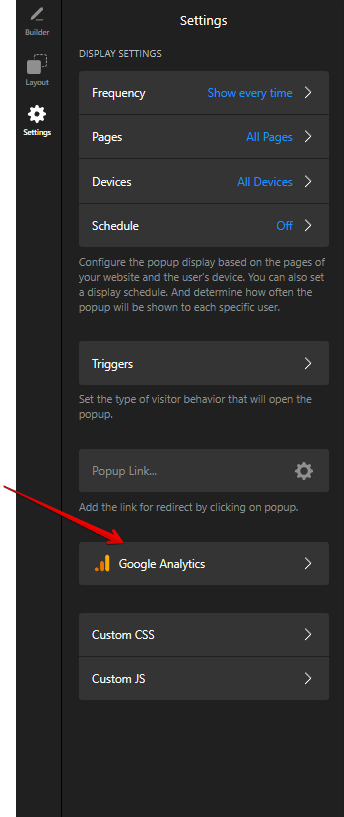
Ensure that either Google Analytics or Google Tag Manager is installed on your site. If both are set up, click statistics will be sent to both platforms.
What info can you track?
There are 2 types of clicks you can track:
-
Popup opened
-
Button clicks
Each click generates an event sent directly to your Google Analytics or Google Tag Manager account.
To add a new event, simply click the Add Event button and choose the event you’d like to track:


What info is included in the event?
Popup opened event incudes a custom name and the following parameters:
- Source
- App
- Widget ID

Button clicked event has the following parameters:
- Source
- App
- Widget ID
- Button Text
- Button URL

These parameters will be displayed in your stats, providing valuable insights into which interactions resonate most with your audience.
Custom parameters
You can also add custom parameters, like the widget name, for more detailed tracking. For example:


If you’d like to track more events, feel free to add your suggestions to the Popup category on the Wishlist. We’ll do our best to consider them for future updates!

Have you tried out this new feature yet? Let us know how it’s working for you in the comments— we’d love to hear your feedback! 