Hi Max,
Sorry to bother you again. I’ve come across a new issue: I have the widget twice on one page. The widget at the top of the page works fine, but the one at the bottom unfortunately doesn’t.
Hi Max,
Sorry to bother you again. I’ve come across a new issue: I have the widget twice on one page. The widget at the top of the page works fine, but the one at the bottom unfortunately doesn’t.
Hi there, @user8320 
Could you please send me a link to the page, where the issue occurs?
Hi Max,
There’s nothing visible on the front end and the widget works fine overall. However, I only receive the unique number in the email from the widget at the top of the page, but not from the one at the bottom. The widget is on MacFixers.nl.
function formatDateTime() {
const now = new Date();
const day = String(now.getDate()).padStart(2, ‘0’);
const month = String(now.getMonth() + 1).padStart(2, ‘0’);
const minutes = String(now.getMinutes()).padStart(2, ‘0’);
const seconds = String(now.getSeconds()).padStart(2, ‘0’);
return ${day}${month}${minutes}${seconds};
}
const date = formatDateTime();
widget.setFieldValue(‘[rmo-nummer]’, date);
Got it, thanks!
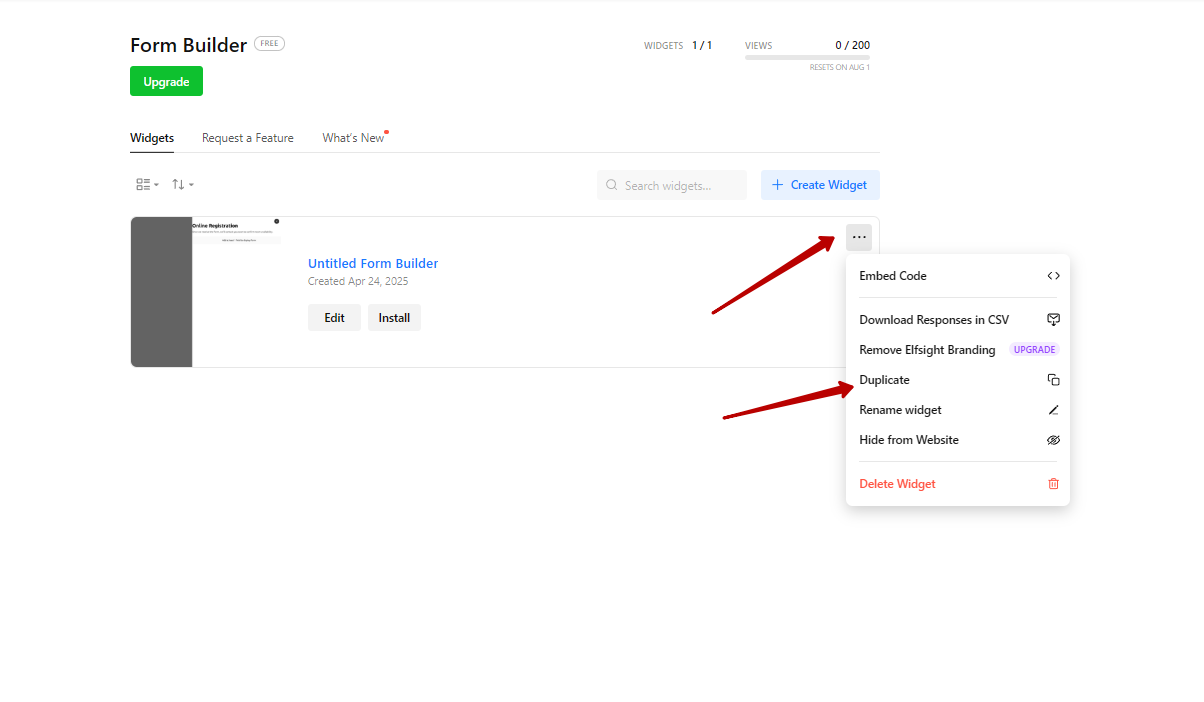
This feature doesn’t work for the bottom form because it’s using the same widget as the top form. To make it work properly for the bottom form, you’ll need to create a separate widget.
For example, you can duplicate the top form, and the copy will work fine since it will have a different installation code:
Please try it out and let me know if it helped 
Hi Max,
I’ve already tried that, but unfortunately it doesn’t work either.
Got it, thanks!
Could you please try to add another (duplicated) widget to your website again, so that our devs would test things?
Hi Max,
I’ve placed two different (copied) widgets on the homepage.
It would be preferable if this could be done with a single widget, to keep future adjustments simple.
Got it, thank you so much!
I’ve shared this issue with the dev team and will update you once I have any news
Thank you for waiting!
Please try to replace the installation code for the 2nd widget with this code and let me know if it helped
<script src="https://cdnjs.cloudflare.com/ajax/libs/iframe-resizer/4.3.9/iframeResizer.min.js"></script>
<style>
    #elfsight-app {
        width: 1px;
        min-width: 100%;
				min-height: 1px;
    }
</style>
<iframe id="elfsight-app" onload="iFrameResize({ log: false, checkOrigin: false }, '#elfsight-app');" src="https://sandbox.elfsightcdn.com/3075fb91-f0d6-419f-ae7f-860cad841f68" frameborder="0">
</iframe>
Oh, that’s great!
If anything else comes up, we’ll be happy to help
But I noticed it had a negative impact on my PageSpeed Insights score, so I’ve removed it for now.
Did the page speed also drop with the code I shared (for the copied widget)?
Hi Max,
Sorry for my late reply. Yes, it’s the same with the original code. That’s because it’s currently being loaded as an iframe. This isn’t ideal for your page speed and also doesn’t look as nice in this case.
Okay, I’ll discuss with the devs if anything can be done with it
Hi there, @user8320
We’ve adjusted handling of the JS codes and now everything should be working fine without iframes. Could you please double-check it?
Yes, that’s perfect. Thank you very much!
Awesome, you’re always welcome