To change product block image on hover, from this.

to this.
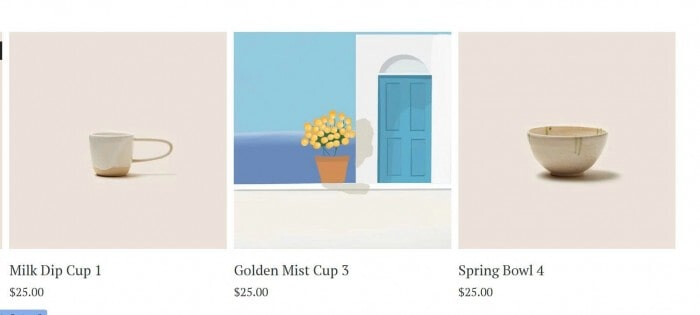
#1. First, use this code to Code Injection > Footer (or Page Header Injection)
<!-- Product Block Image Hover-@tuanphan-23-08-2025 --><script>const addProductImages=async()=>{const productBlocks=document.querySelectorAll('.product-block');if(productBlocks.length===0)return;const fetchJSON=async(path)=>{const queryParams='?format=json'+'&'+Date.now();const response=await fetch(path+queryParams);const jsonData=await response.json();return jsonData};productBlocks.forEach(async(block)=>{const productLink=block.querySelector('a[href*="/"]');if(!productLink)return;const productUrl=productLink.getAttribute('href');if(!productUrl)return;const imageContainer=block.querySelector('.image-container');if(!imageContainer)return;try{const productData=await fetchJSON(productUrl);if(!productData.item||!productData.item.seoData||!productData.item.seoData.seoDescription)return;const imgSrc=productData.item.seoData.seoDescription.trim();if(!imgSrc||!imgSrc.startsWith('http'))return;const existingSeoImage=imageContainer.querySelector('.seo-description-image');if(existingSeoImage)return;const newImage=document.createElement('img');newImage.src=imgSrc;newImage.className='seo-description-image';newImage.alt='SEO Image';newImage.style.cssText='object-fit: cover; width: 100%; height: 100%; position: absolute; top: 0; left: 0;';imageContainer.appendChild(newImage)}catch(error){console.log('Error loading product data:',error)}})};window.addEventListener('DOMContentLoaded',()=>{setTimeout(addProductImages,1000);setTimeout(addProductImages,3000);const observer=new MutationObserver(()=>{setTimeout(addProductImages,500)});const bodyElement=document.body;if(bodyElement){observer.observe(bodyElement,{childList:!0,subtree:!0})}});</script>
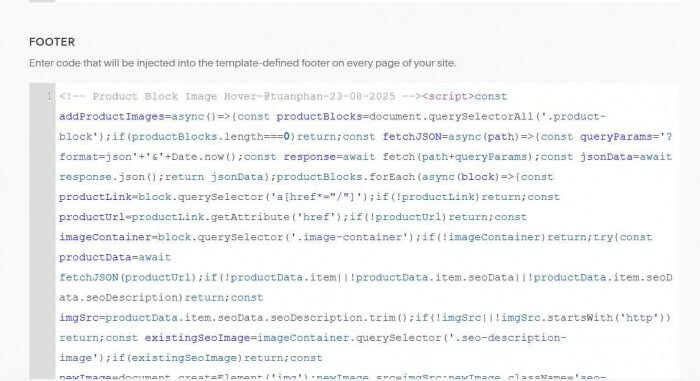
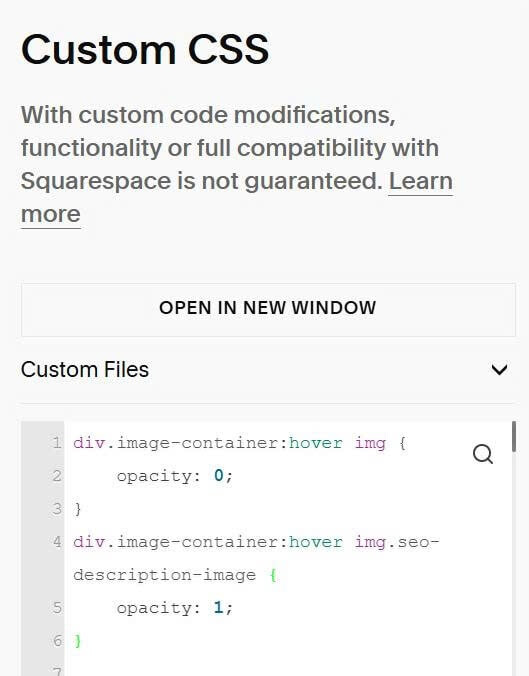
#2. Next, use this code to Custom CSS.
div.image-container:hover img {
    opacity: 0;
}
div.image-container:hover img.seo-description-image {
    opacity: 1;
}
#3. Next, edit each product > Scroll down to SEO and URL > click Edit

#4. Enter hover image url. Code will pull hover image from this field.
