To add product counter number on product categories on Shop Page, like this.

#1. First, use this code to Custom CSS
Note: Works with under 200 products only
span.category-counter-number {
    font-size: 14px;
    position: relative;
    top: -10px;
}

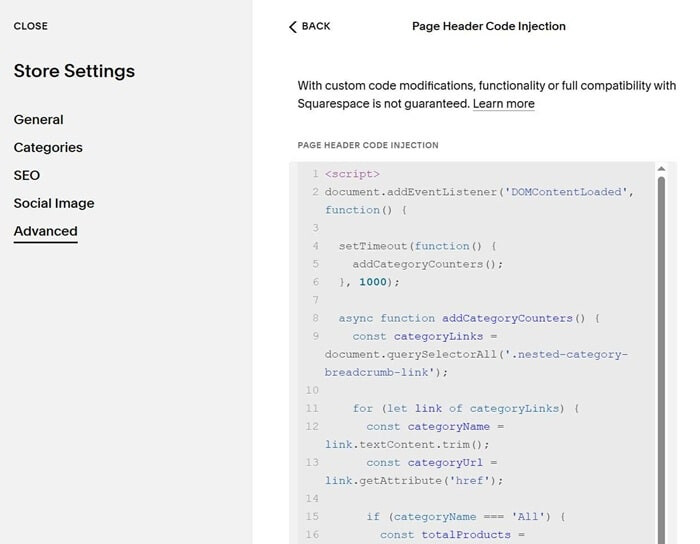
#2. Use this code to Store Page Header Injection
<script>
document.addEventListener('DOMContentLoaded', function() {

  setTimeout(function() {
    addCategoryCounters();
  }, 1000);

  async function addCategoryCounters() {
    const categoryLinks = document.querySelectorAll('.nested-category-breadcrumb-link');

    for (let link of categoryLinks) {
      const categoryName = link.textContent.trim();
      const categoryUrl = link.getAttribute('href');

      if (categoryName === 'All') {
        const totalProducts = document.querySelectorAll('.product-list-item').length;
        addCounterToLink(link, totalProducts);
      } else {
        try {
          const response = await fetch(categoryUrl + '?format=json');
          const data = await response.json();
          const productCount = data.items ? data.items.length : 0;

          addCounterToLink(link, productCount);
        } catch (error) {
          console.log('Error fetching category count:', categoryName, error);
          addCounterToLink(link, 0);
        }
      }

      await new Promise(resolve => setTimeout(resolve, 200));
    }
  }

  function addCounterToLink(link, count) {
    if (link.querySelector('.category-counter-number')) {
      return;
    }

    const counter = document.createElement('span');
    counter.className = 'category-counter-number';
    counter.textContent = `(${count})`;

    link.appendChild(counter);
  }

});
</script>