To add Metadata Tag to Store Page, like this.

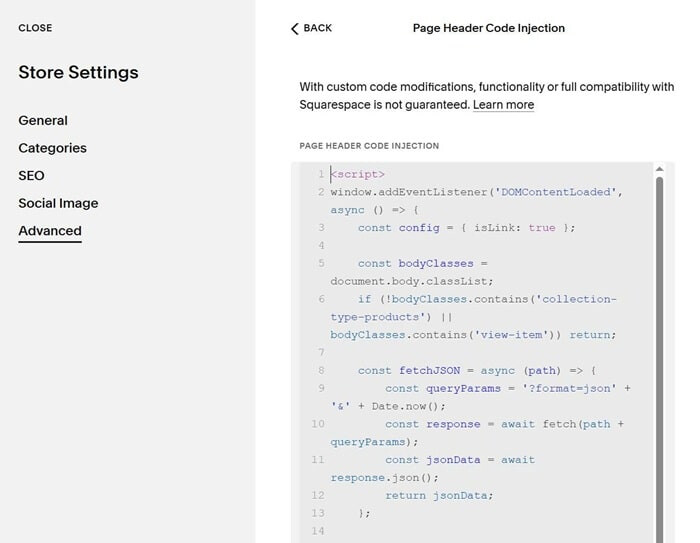
#1. First, use this code to Custom CSS
a.tags-label {
    background-color: #fff;
    margin-left: 5px;
    margin-right: 5px;
    padding: 2px 10px;
    border-radius: 30px;
}
.tags-product-labels {
    margin-bottom: 10px;
}
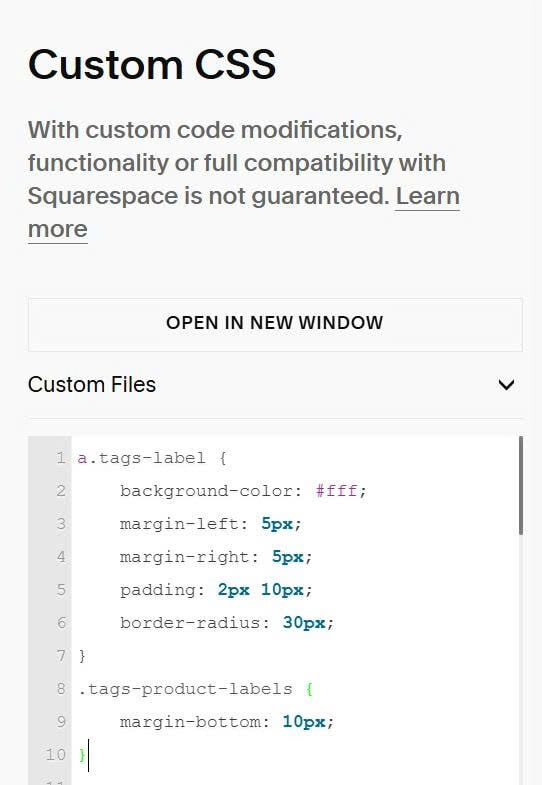
#2. Next, use this code to Store Page Header Injection
<script>
window.addEventListener('DOMContentLoaded', async () => {
    const config = { isLink: true };

    const bodyClasses = document.body.classList;
    if (!bodyClasses.contains('collection-type-products') || bodyClasses.contains('view-item')) return;

    const fetchJSON = async (path) => {
        const queryParams = '?format=json' + '&' + Date.now();
        const response = await fetch(path + queryParams);
        const jsonData = await response.json();
        return jsonData;
    };

    const collectionJsonData = await fetchJSON(window.location.pathname);
    if (!collectionJsonData.items) return;

    const collectionUrl = collectionJsonData.collection.fullUrl;

    for (const item of collectionJsonData.items) {
        try {
            const productJsonData = await fetchJSON(item.fullUrl);

            if (!productJsonData.item || !productJsonData.item.tags || productJsonData.item.tags.length === 0) continue;

            const productItem = document.querySelector(`[href="${item.fullUrl}"]`);
            if (!productItem) continue;

            const productTitle = productItem.querySelector('.product-list-item-title');
            if (!productTitle) continue;

            const existingTags = productItem.querySelector('.tags-product-labels');
            if (existingTags) continue;

            const tagsContainer = document.createElement('div');
            tagsContainer.className = 'tags-product-labels';

            productJsonData.item.tags.forEach(tagName => {
                const tagElement = document.createElement(config.isLink ? 'a' : 'div');
                tagElement.className = 'tags-label';
                tagElement.setAttribute('data-tag-name', tagName);
                tagElement.setAttribute('data-tag-slug', tagName.toLowerCase().replace(/\s+/g, '-'));
                tagElement.textContent = tagName;

                if (config.isLink) {
                    tagElement.href = collectionUrl + '?tag=' + encodeURIComponent(tagName);
                }

                tagsContainer.appendChild(tagElement);
            });

            productTitle.insertAdjacentElement('beforebegin', tagsContainer);

        } catch (error) {
            console.log('Error fetching product data:', error);
        }
    }
});
</script>