To add bevel/angles to corners of header button, like this.

You can use this code to Custom CSS.
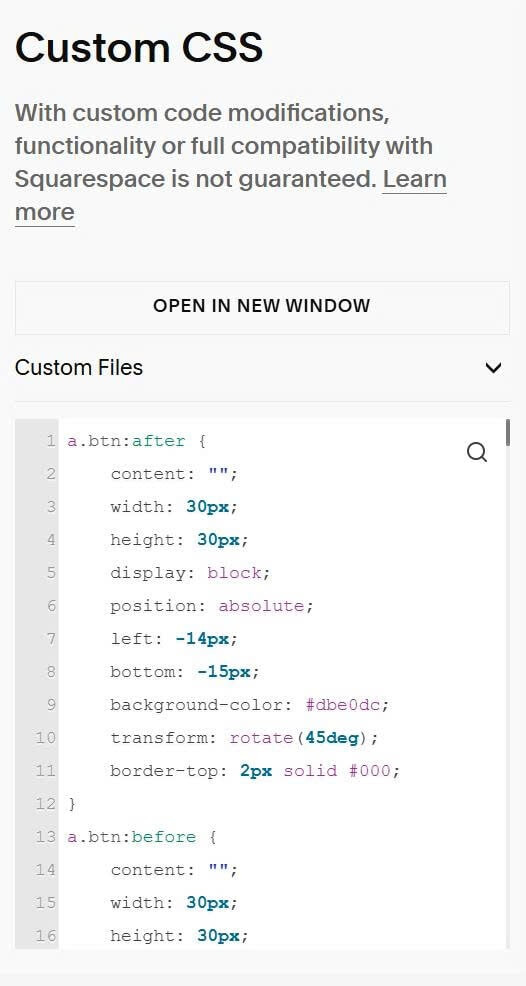
a.btn:after {
    content: "";
    width: 30px;
    height: 30px;
    display: block;
    position: absolute;
    left: -14px;
    bottom: -15px;
    background-color: #dbe0dc;
    transform: rotate(45deg);
    border-top: 2px solid #000;
}
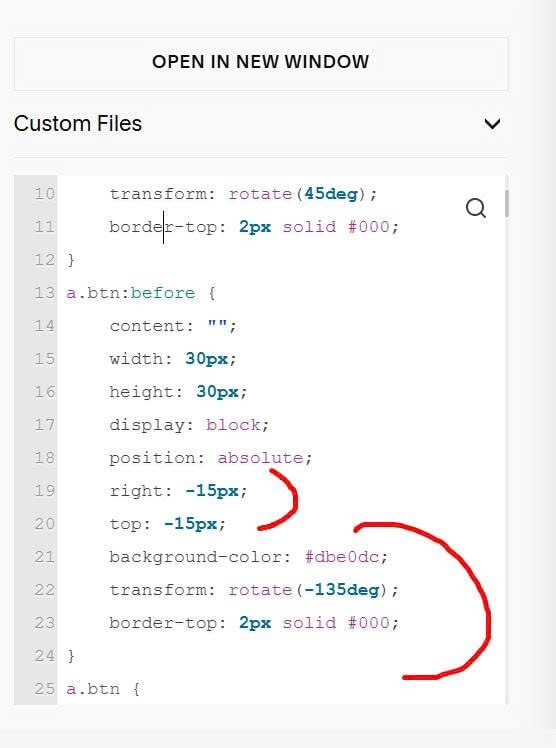
a.btn:before {
    content: "";
    width: 30px;
    height: 30px;
    display: block;
    position: absolute;
    right: -15px;
    top: -15px;
    background-color: #dbe0dc;
    transform: rotate(-135deg);
    border-top: 2px solid #000;
}
a.btn {
    position: relative;
}
If it doesn’t work properly, you can adjust these.

and these.