In the chatbot themes, there is light and dark version, and light with color accent on top and a grey version, there is 2 with a washout astronaut background version. being able to upload a image to the themes
Hi there, @Norton 
We agree that it would be great to have this option right in the settings. If more users support this idea, we’ll try to think this opportunity over 
As for now, you can add a custom image using this code in the Custom CSS field on the General tab of your widget’s settings:
[class*="window-wallpaper__Container-sc"] {
background: url(YOUR_URL);
background-size: cover;
opacity: 1;
}
Do not forget to replace YOUR_URL in the 2nd line of the code with the URL of your image
Friends, I’m happy to say that we’ve started working on this feature! 
It’s currently in the Design stage, and we’ll keep you updated on the progress here 
1 Like
Update: the feature is on the Development stage now! 
3 Likes
Hey everyone!
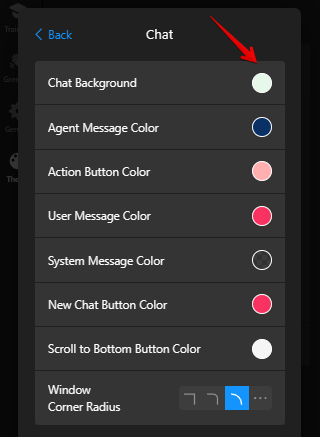
We’re happy to share that now you can set a custom theme image right in the settings.
To do this, click on the Customize Theme button on the Theme tab, open the Chat section:


Then click on the Chat Background and select Image:

Check this post to find other new customization settings -AI Chatbot: Change color of each widget element, font, size settings and more! 
3 Likes